Getting Started
1. Sign In to Your Account
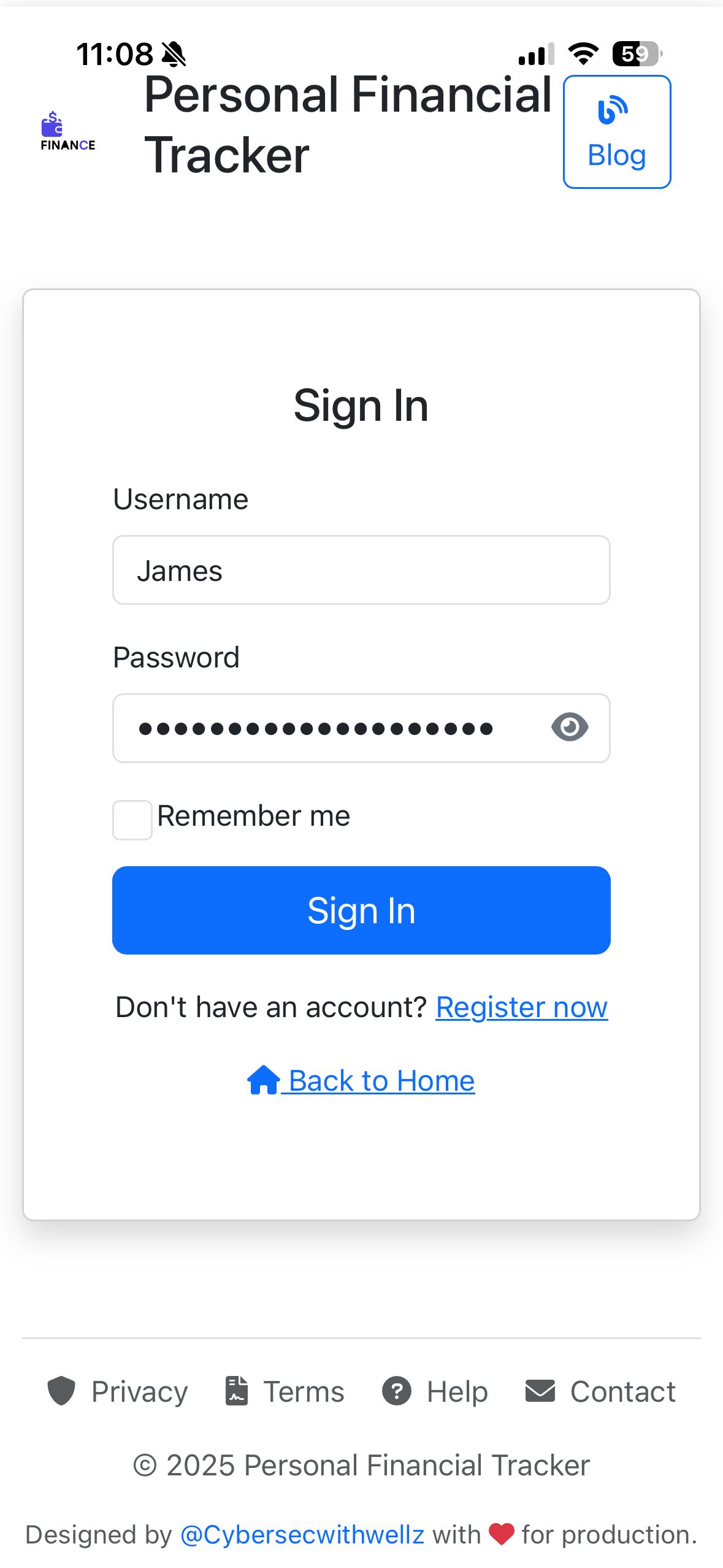
Login Page - Enter your credentials to access your account
- Enter your username in the first field
- Enter your password (click the eye icon to view it)
- Check "Remember me" to stay logged in on this device
- Click "Sign In" to access your dashboard
- New user? Click "Register now" to create a free account
Understanding Your Dashboard
Financial Overview at a Glance
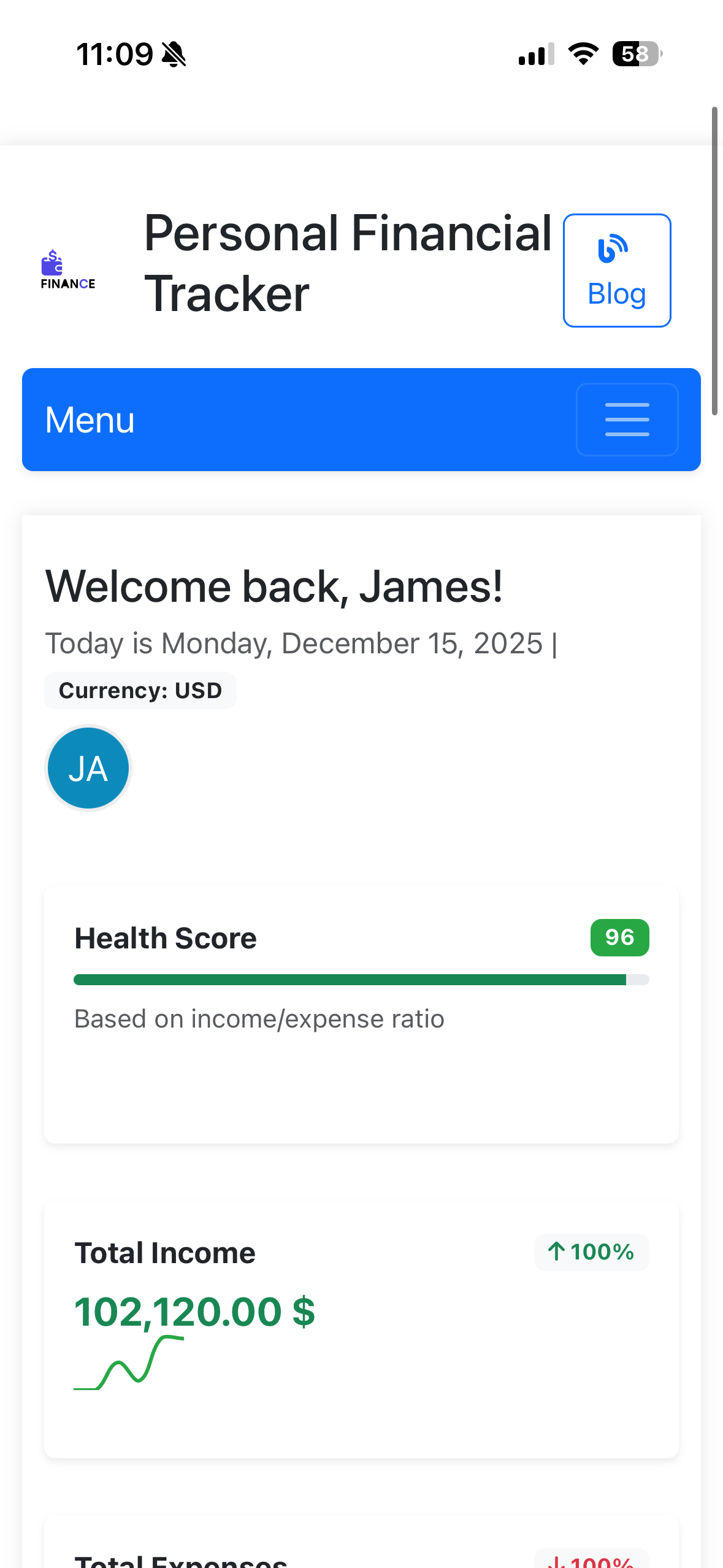
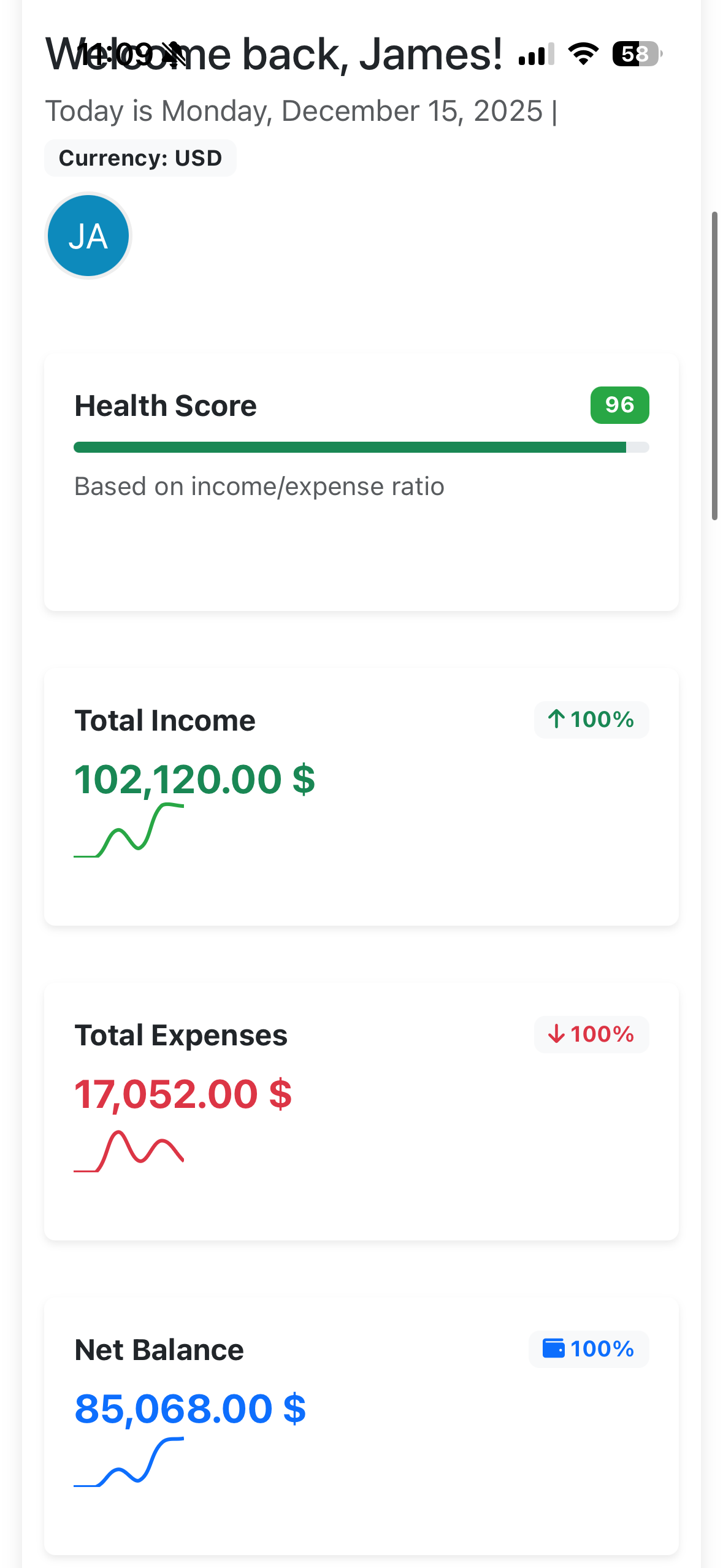
Your dashboard is your financial command center. Here's what you'll see:
Based on your income/expense ratio and financial habits
Track all your income sources with % change indicators
Monitor your spending with trend analysis
Your current financial position (Income - Expenses)
Interactive Charts & Insights
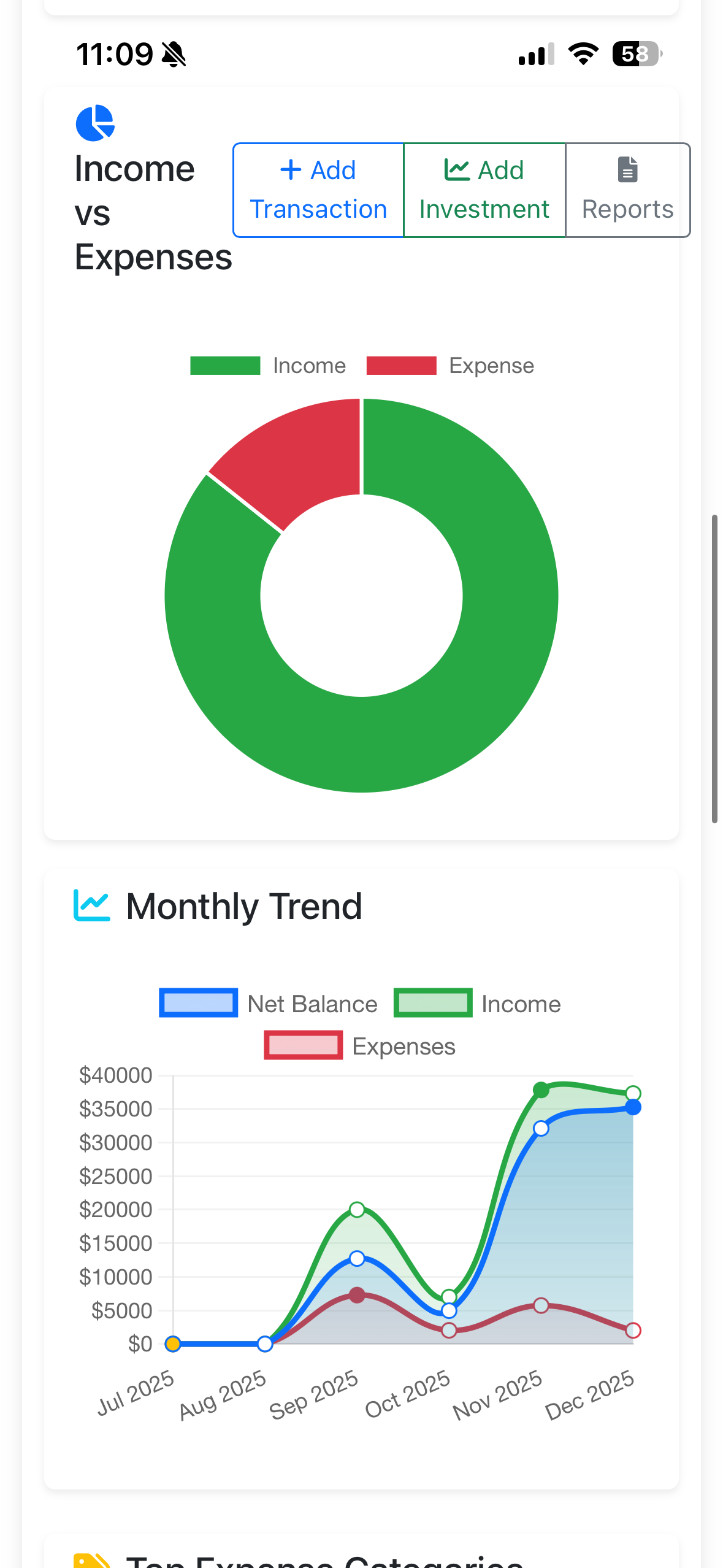
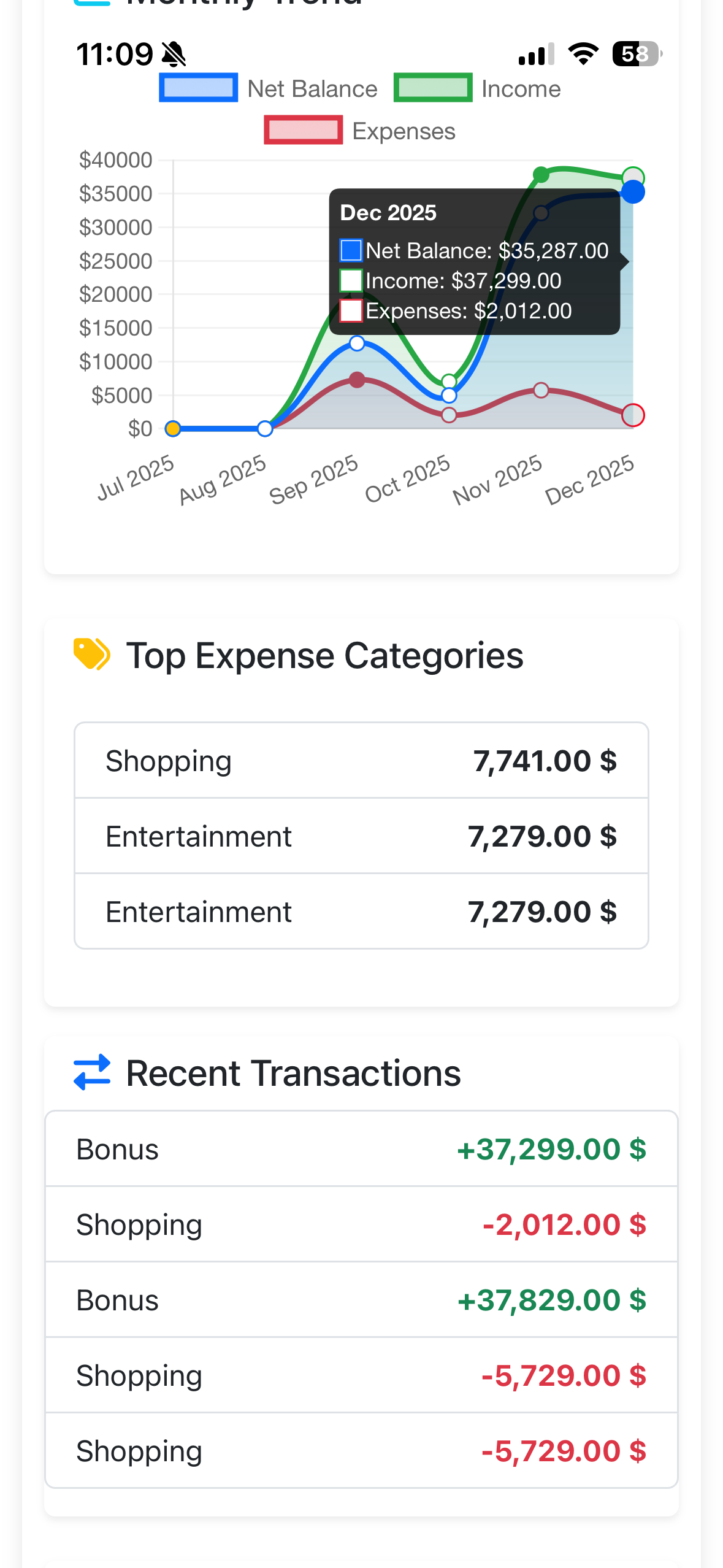
Income vs Expenses Pie Chart
Visual breakdown showing the proportion of income to expenses. Green = Income, Red = Expenses
Monthly Trend Line Graph
Track your financial trajectory over 6 months. Hover over data points for exact values!
- + Add Transaction - Record income or expenses instantly
- + Add Investment - Track your portfolio performance
- Reports - Generate detailed financial reports
Top Expense Categories & Recent Transactions
See where your money goes and track your latest financial activities:
Top Expense Categories
Identifies your biggest spending areas (e.g., Shopping, Entertainment, Healthcare)
Recent Transactions
View latest transactions with color coding: Green = Income, Red = Expenses
Managing Transactions
Adding a New Transaction
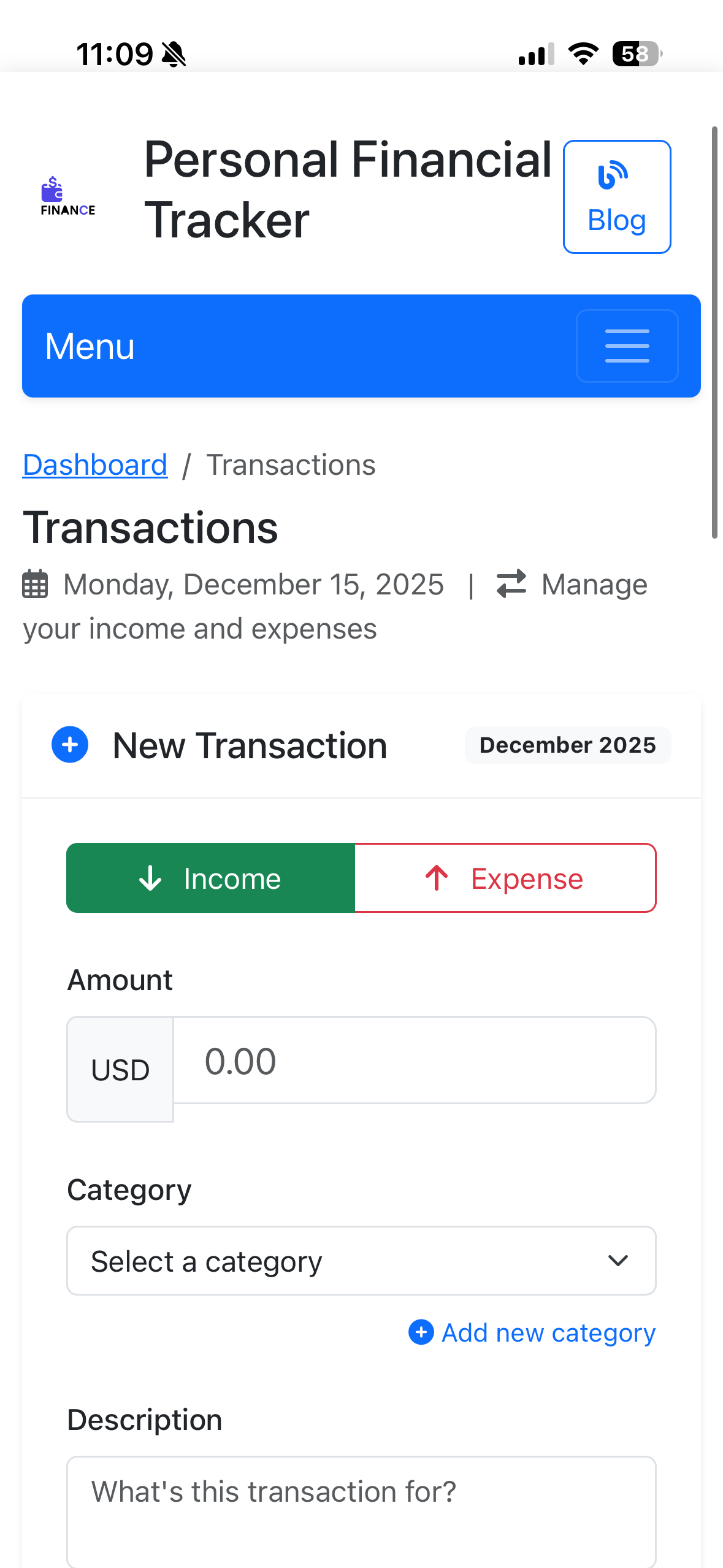
- Click "+ New Transaction" button
- Select transaction type: Income or Expense
- Enter the Amount in your selected currency (USD, EUR, GBP, etc.)
- Choose a Category from the dropdown or create a new one
- Add a Description to remember what this transaction was for
- Set the transaction Date (defaults to today)
- Click "Save Transaction"
Organizing with Categories
Your Custom Categories
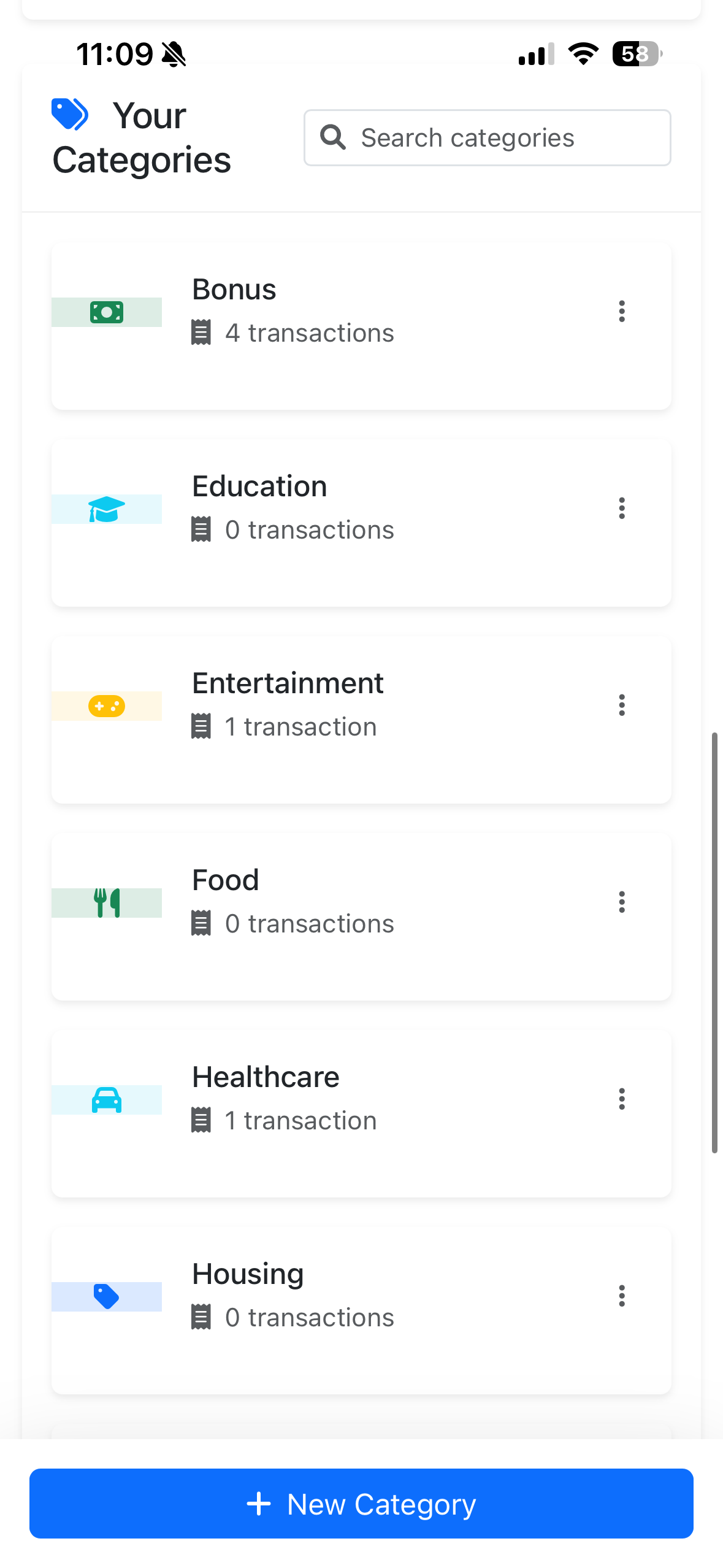
Categories help you organize and analyze your finances:
4 transactions
0 transactions
1 transaction
0 transactions
1 transaction
0 transactions
Budget Management
Setting Up Budgets
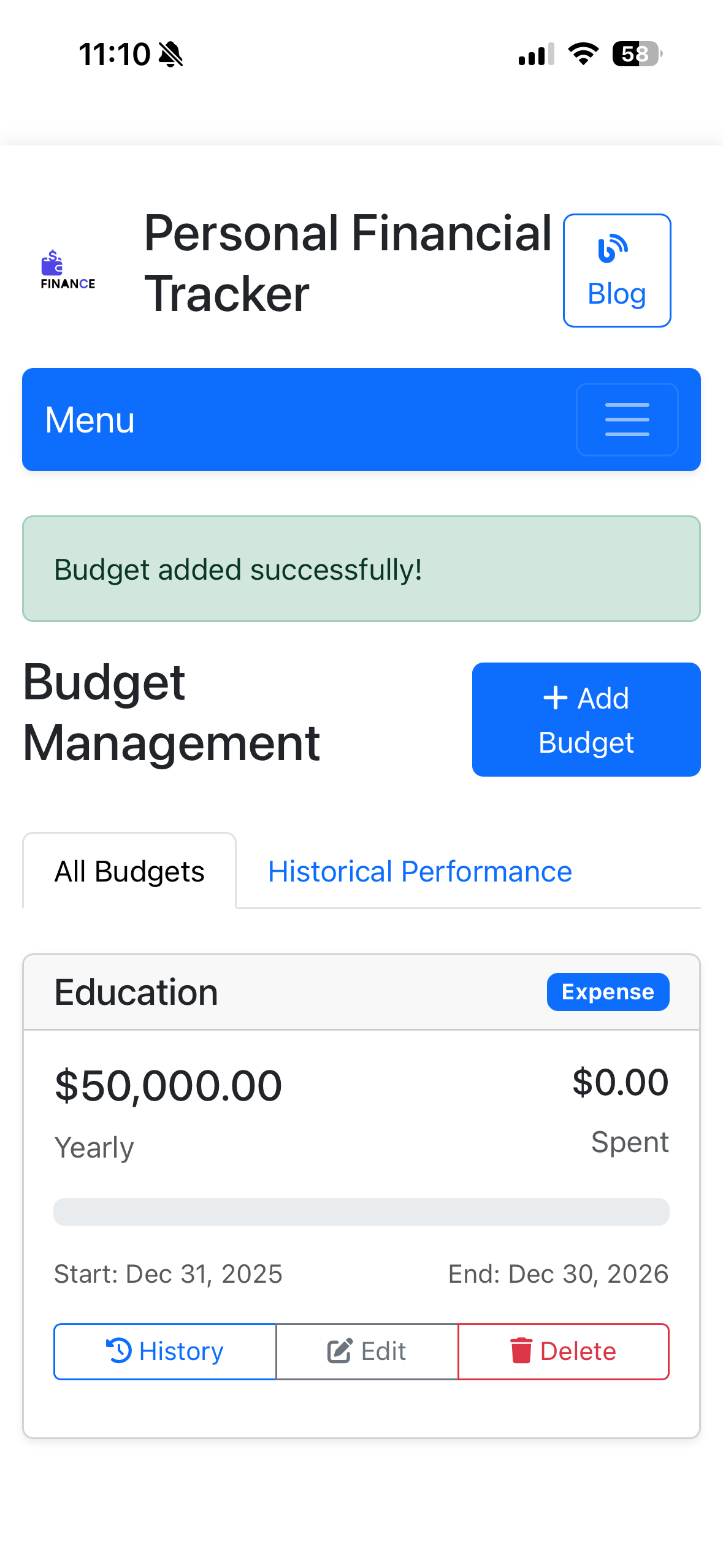
- Click "+ Add Budget" button
- Select a Category (e.g., Education, Food, Entertainment)
- Set your Budget Amount (e.g., $50,000)
- Choose the Period: Monthly or Yearly
- Set Start and End Dates
- Monitor spending with the progress bar
- Historical Performance - See how you've done in past periods
- Progress Tracking - Visual bars show spent vs. remaining budget
- Edit/Delete - Adjust budgets as your financial situation changes
- History View - Review past budget performance
Savings Goals
Tracking Your Financial Goals
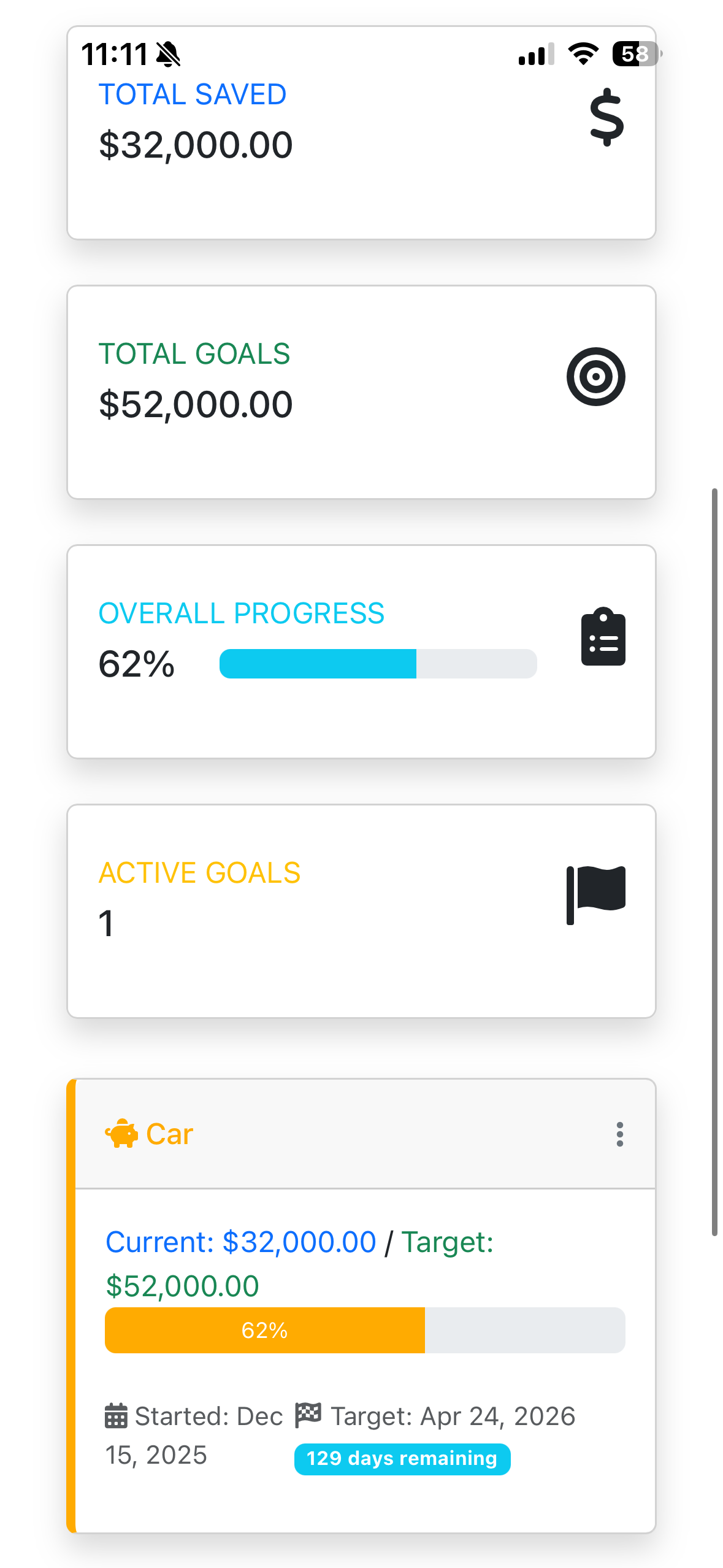
Goal Overview
- Total Saved: $32,000
- Total Goals: $52,000
- Overall Progress: 62%
- Active Goals: 1
Individual Goal (Car)
- Current: $32,000
- Target: $52,000
- Progress: 62%
- Target Date: Apr 24, 2026
- Days Remaining: 129 days
- Click "+ New Goal" to create a savings target
- Name your goal (e.g., "Car," "Vacation," "Emergency Fund")
- Set the Target Amount you want to save
- Choose a Target Date for completion
- Add manual contributions or link transactions to auto-update progress
- Track progress with visual percentage bars
Investment Portfolio Tracking
Monitor Your Investments
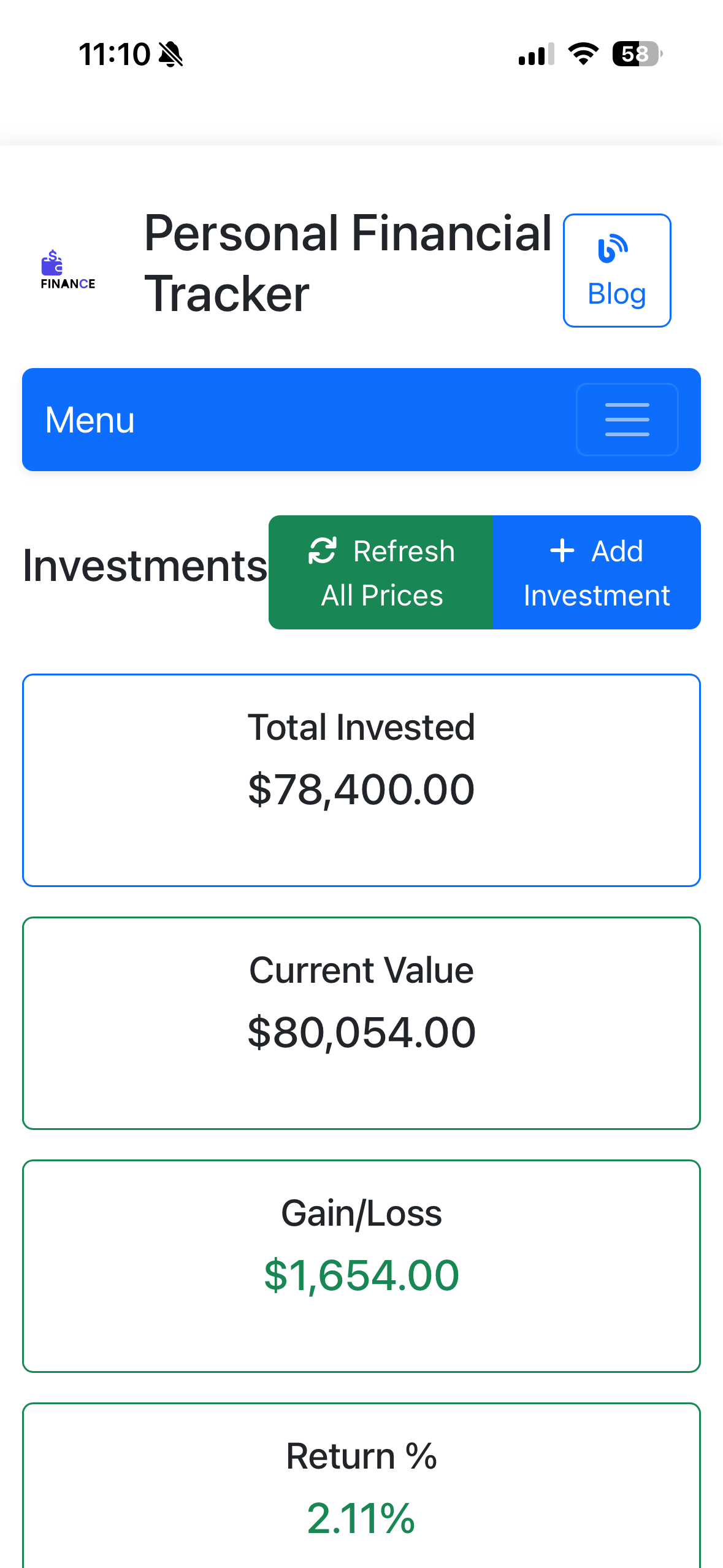
Portfolio Summary
- Total Invested: $78,400.00
- Current Value: $80,054.00
- Gain/Loss: +$1,654.00
- Return %: +2.11%
Adding Investments
- Click "+ Add Investment"
- Enter ticker symbol (e.g., AAPL, TSLA)
- Select investment type (Stock, Bond, ETF, Crypto, Real Estate)
- Enter purchase price and shares
- Choose exchange (NYSE, NASDAQ, etc.)
Click "Refresh All Prices" to get real-time market data via Alpha Vantage API. Prices update automatically to show current portfolio value!
Financial Reports & Analytics
Comprehensive Financial Insights
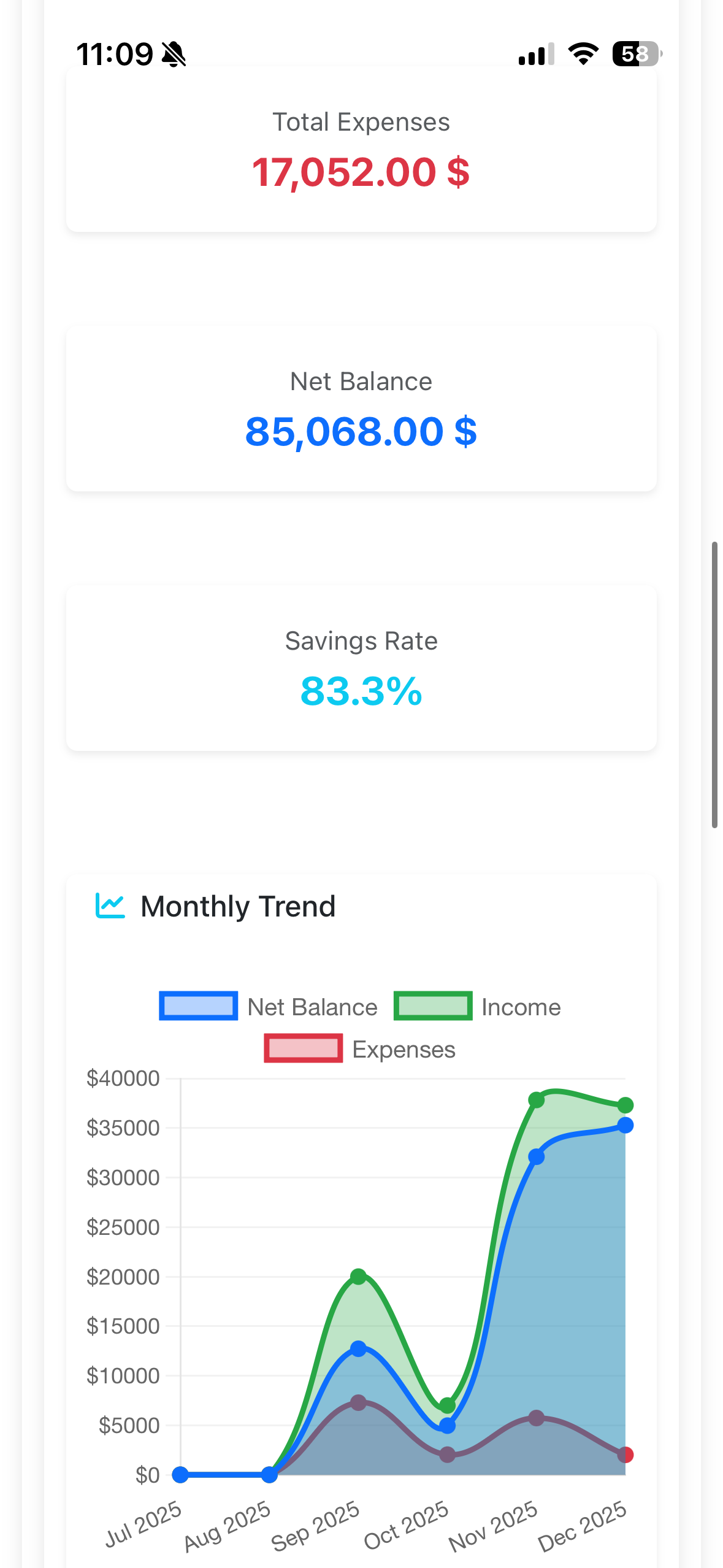
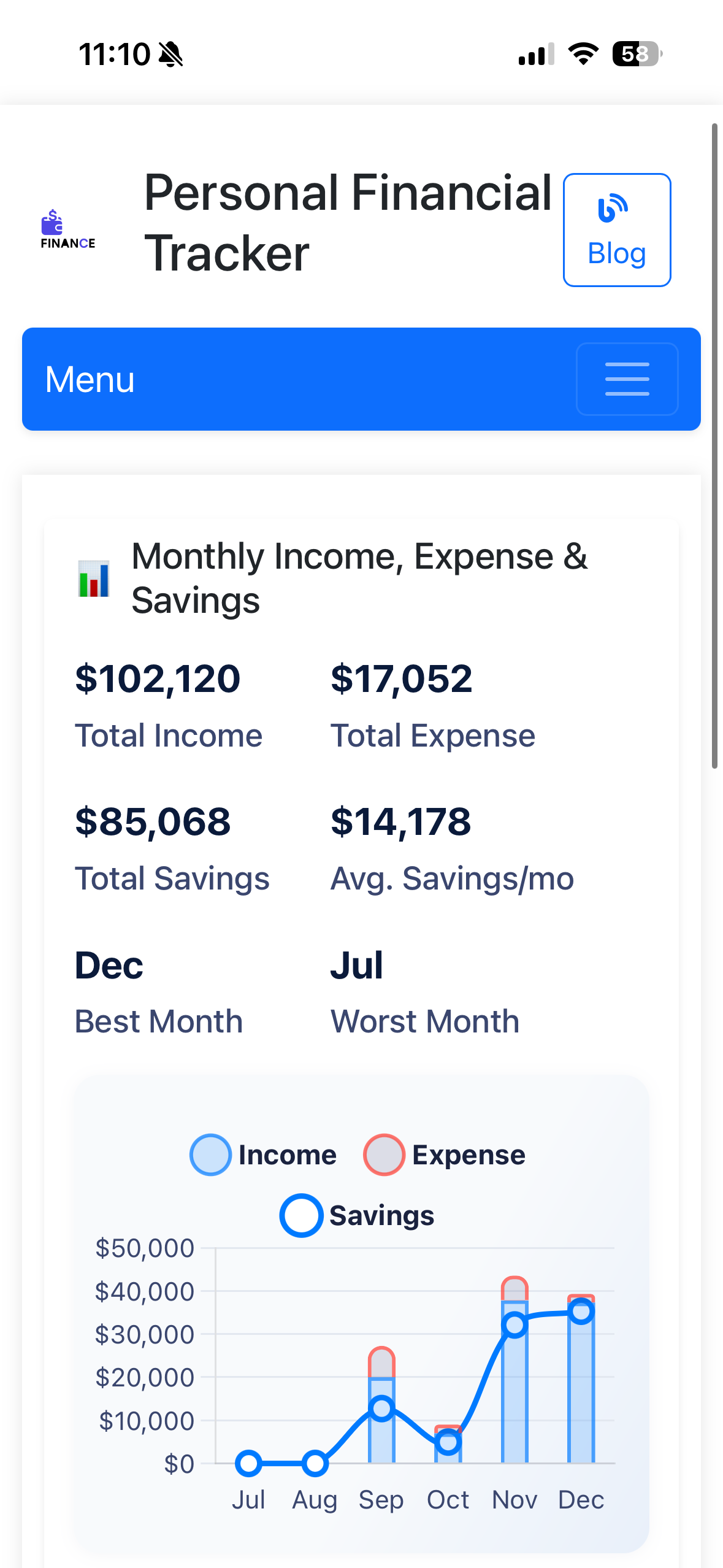
Monthly Income, Expense & Savings Report
Total Income
$102,120
Total Expense
$17,052
Total Savings
$85,068
Avg. Savings/mo
$14,178
Best Month: December
Worst Month: July
- PDF Reports - Download professional reports for record-keeping
- CSV Export - Export data for Excel or other analysis tools
- Custom Date Ranges - Filter reports by specific time periods
Advanced Features
Financial Forecasting
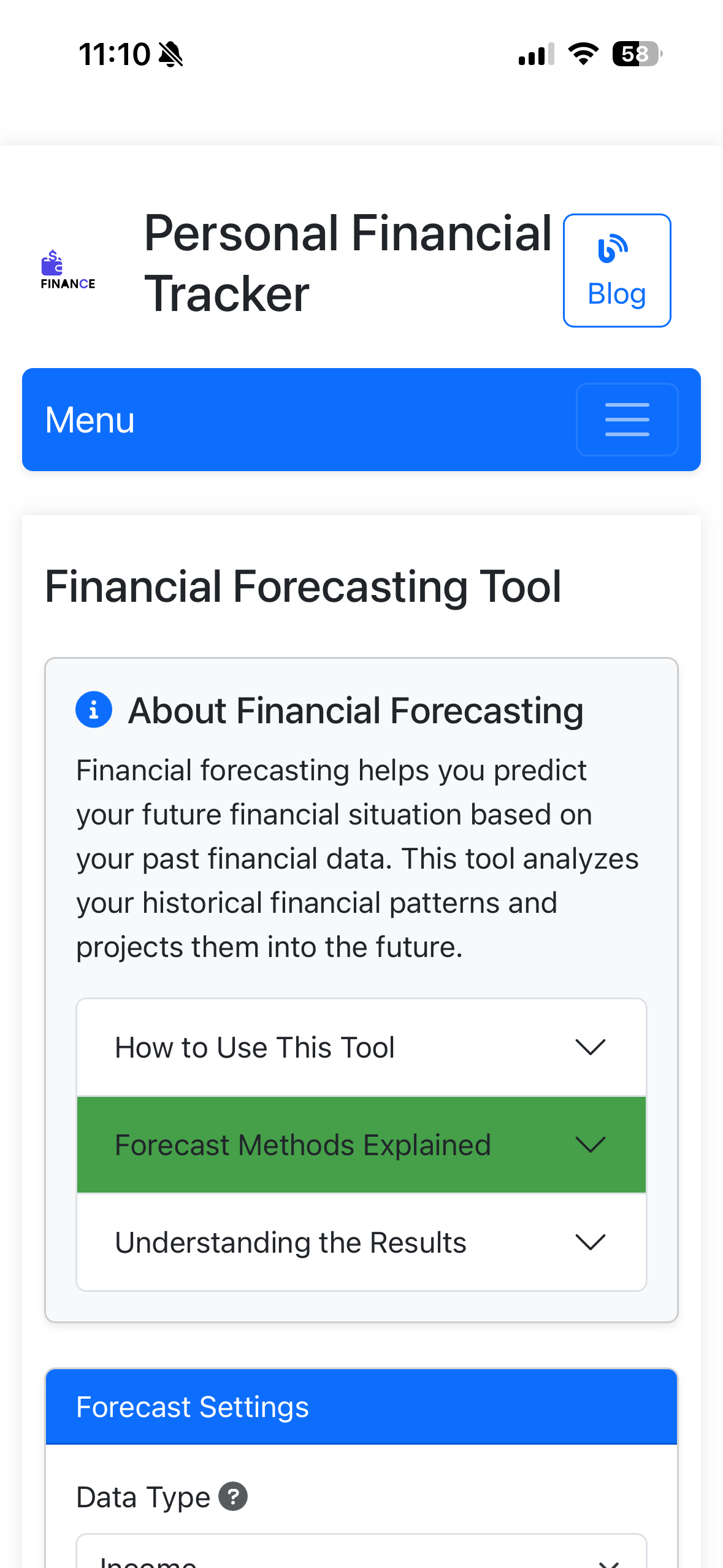
Predict your future financial situation using advanced algorithms:
Moving Average
Smooth out fluctuations to see trends
Exponential Smoothing
Weight recent data more heavily
Linear Regression
Project trends into the future
Financial Health Score
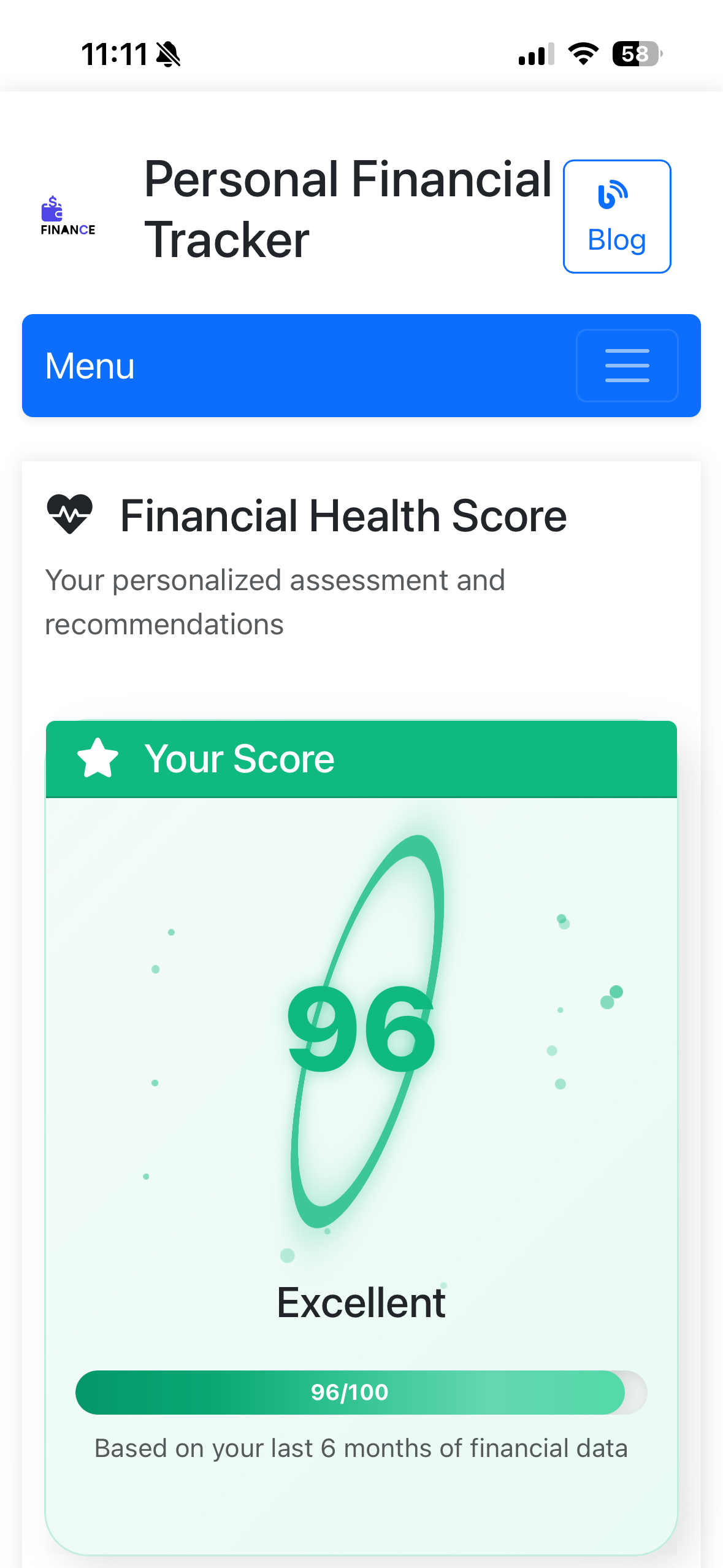
96/100
Excellent
Based on your last 6 months of financial data
- Income/Expense ratio
- Savings rate consistency
- Budget adherence
- Financial goal progress
- Transaction regularity
Groups & Challenges
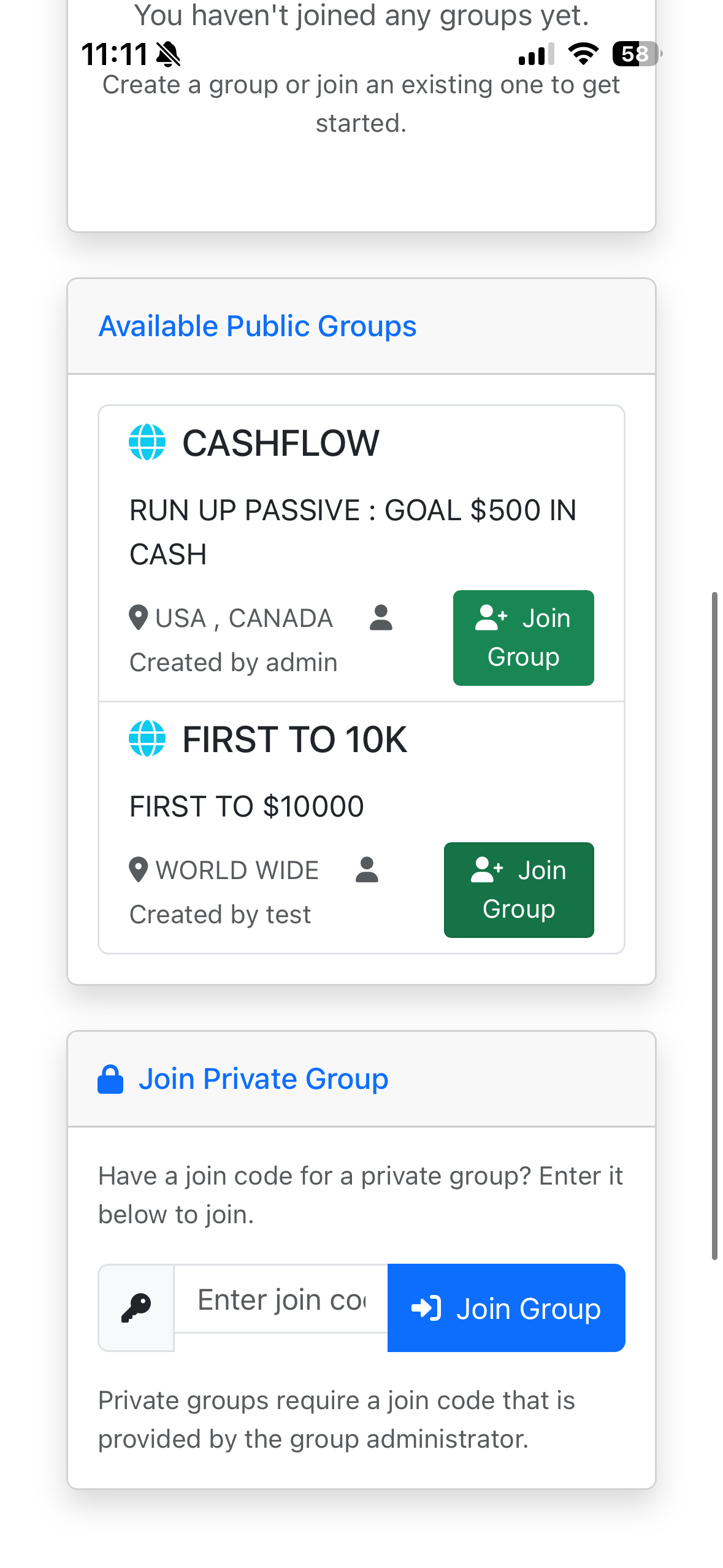
Join Financial Communities
- CASHFLOW - Goal: $500 in Cash (USA, CANADA)
- FIRST TO 10K - First to $10,000 (WORLD WIDE)
Or create your own private group with a join code for family/friends!
Multi-Currency Support
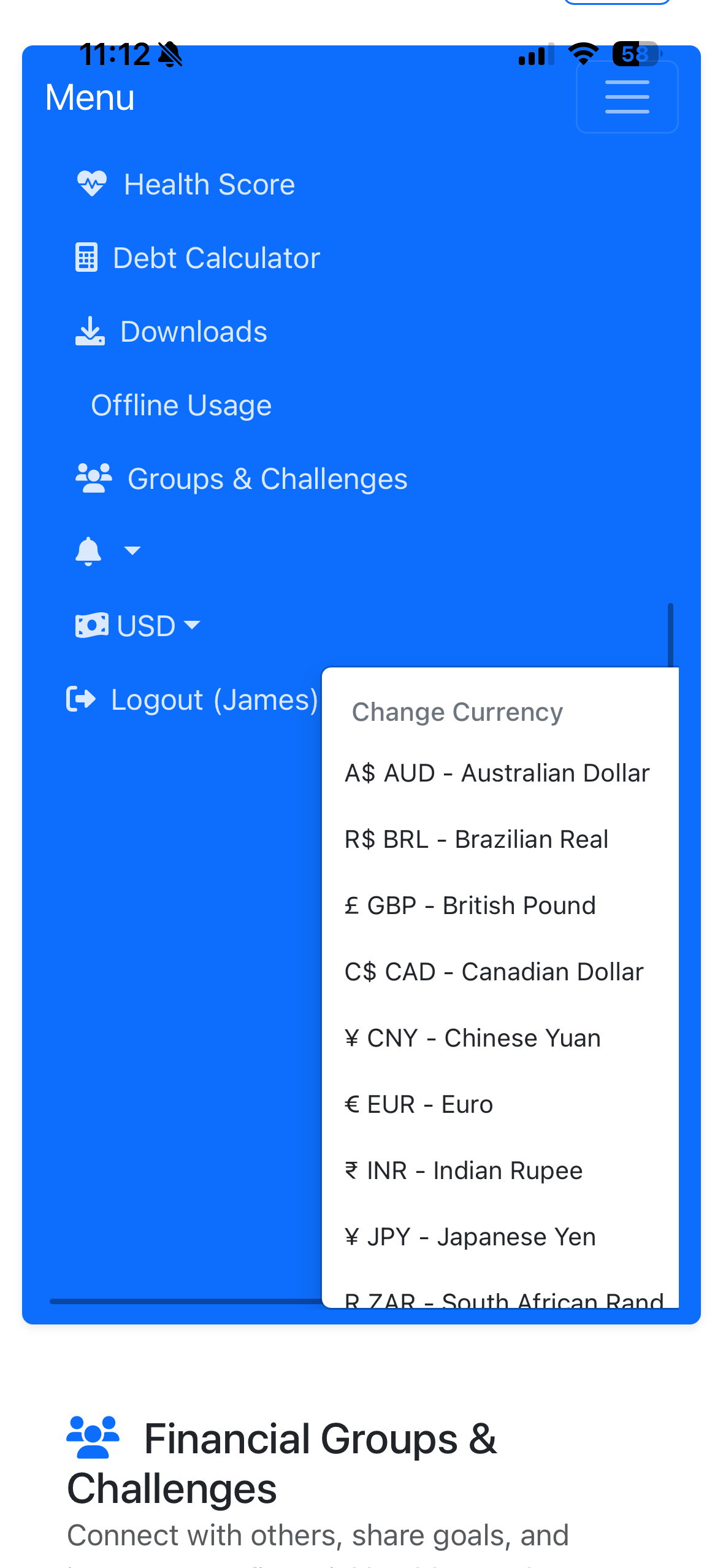
Track finances in your preferred currency:
- 🇺🇸 USD - US Dollar
- 🇪🇺 EUR - Euro
- 🇬🇧 GBP - British Pound
- 🇨🇦 CAD - Canadian Dollar
- 🇨🇳 CNY - Chinese Yuan
- 🇯🇵 JPY - Japanese Yen
- 🇮🇳 INR - Indian Rupee
- 🇦🇺 AUD - Australian Dollar
- 🇧🇷 BRL - Brazilian Real
- ...and many more!
Two-Factor Authentication (2FA)
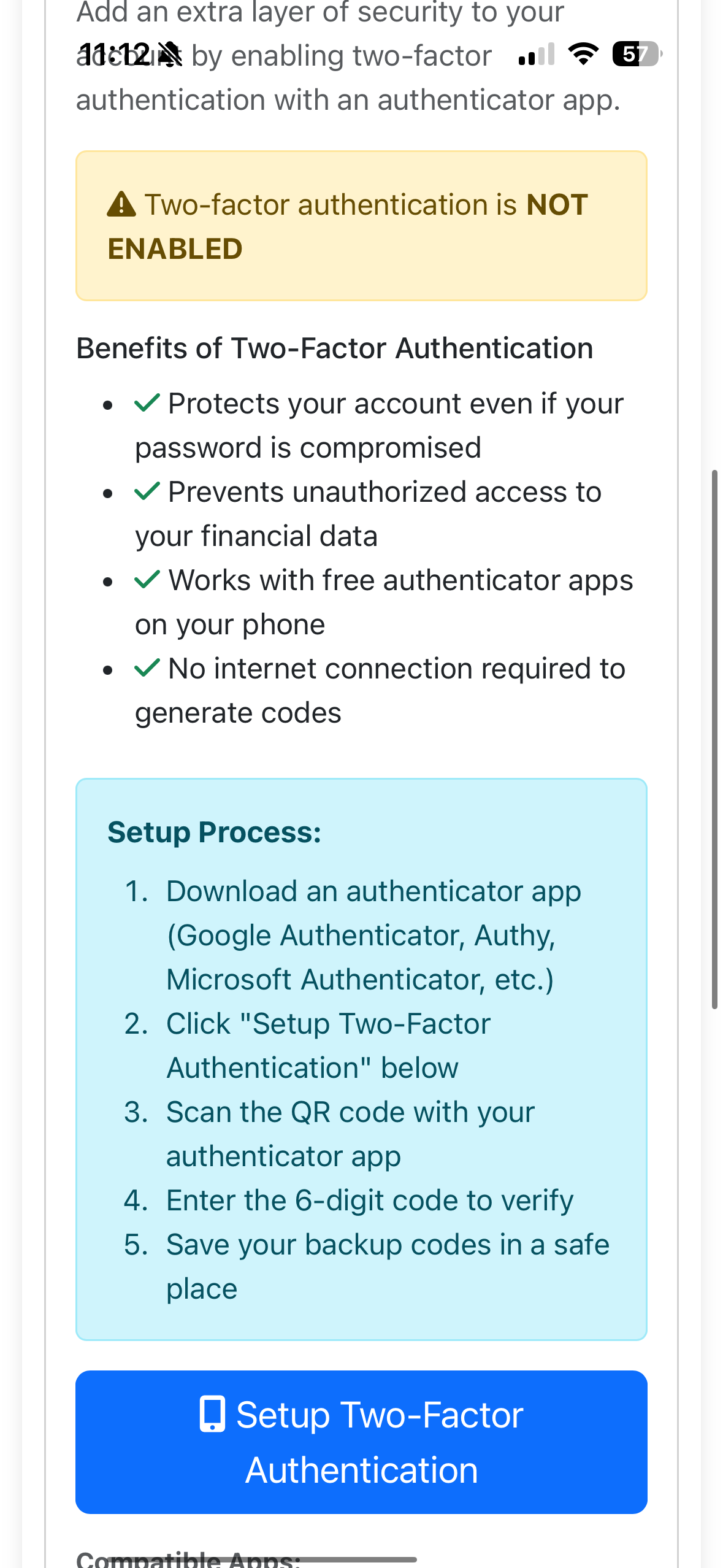
Enhanced Security
Benefits:
Setup Process:
- Download authenticator app (Google Authenticator, Authy, etc.)
- Click "Setup Two-Factor Authentication"
- Scan QR code with your app
- Enter 6-digit code to verify
- Save backup codes safely
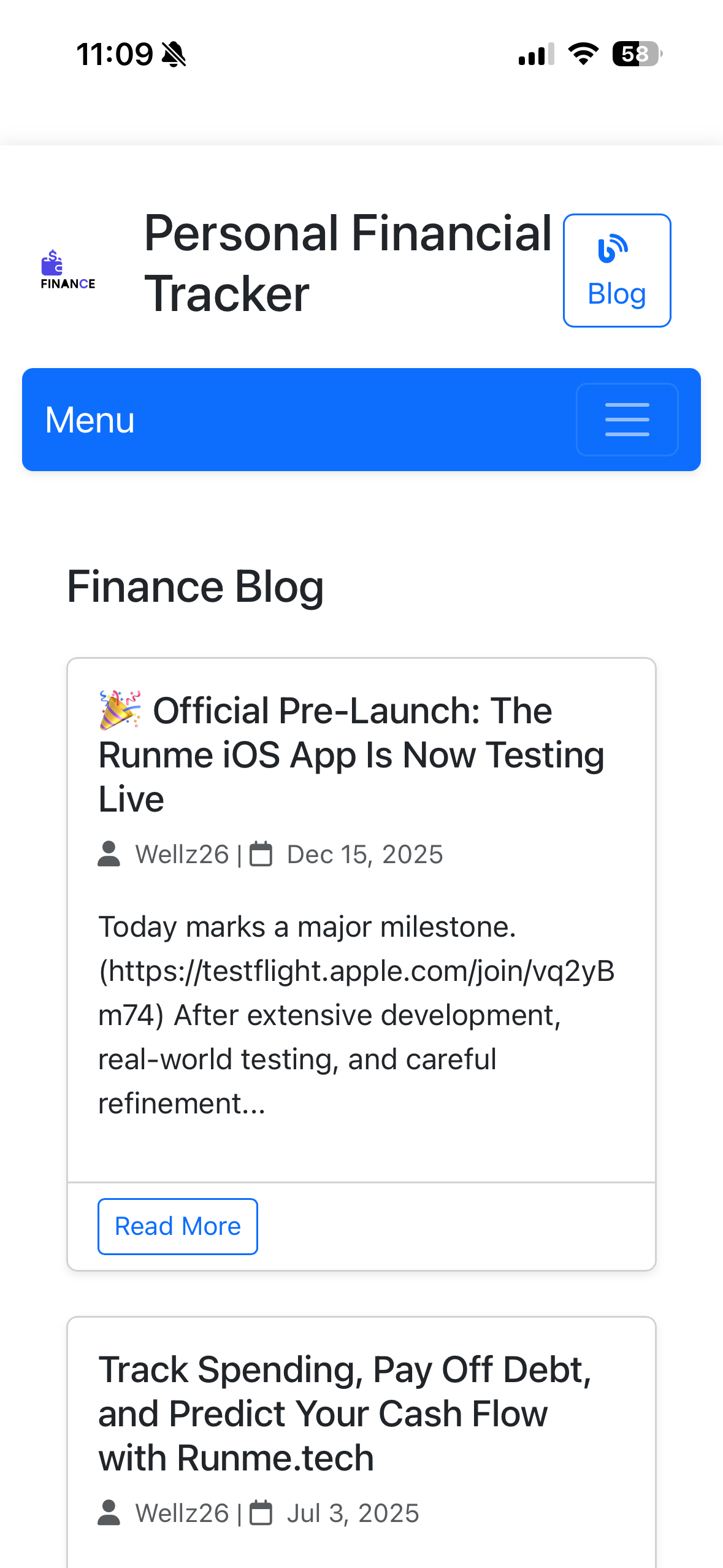
Finance Blog
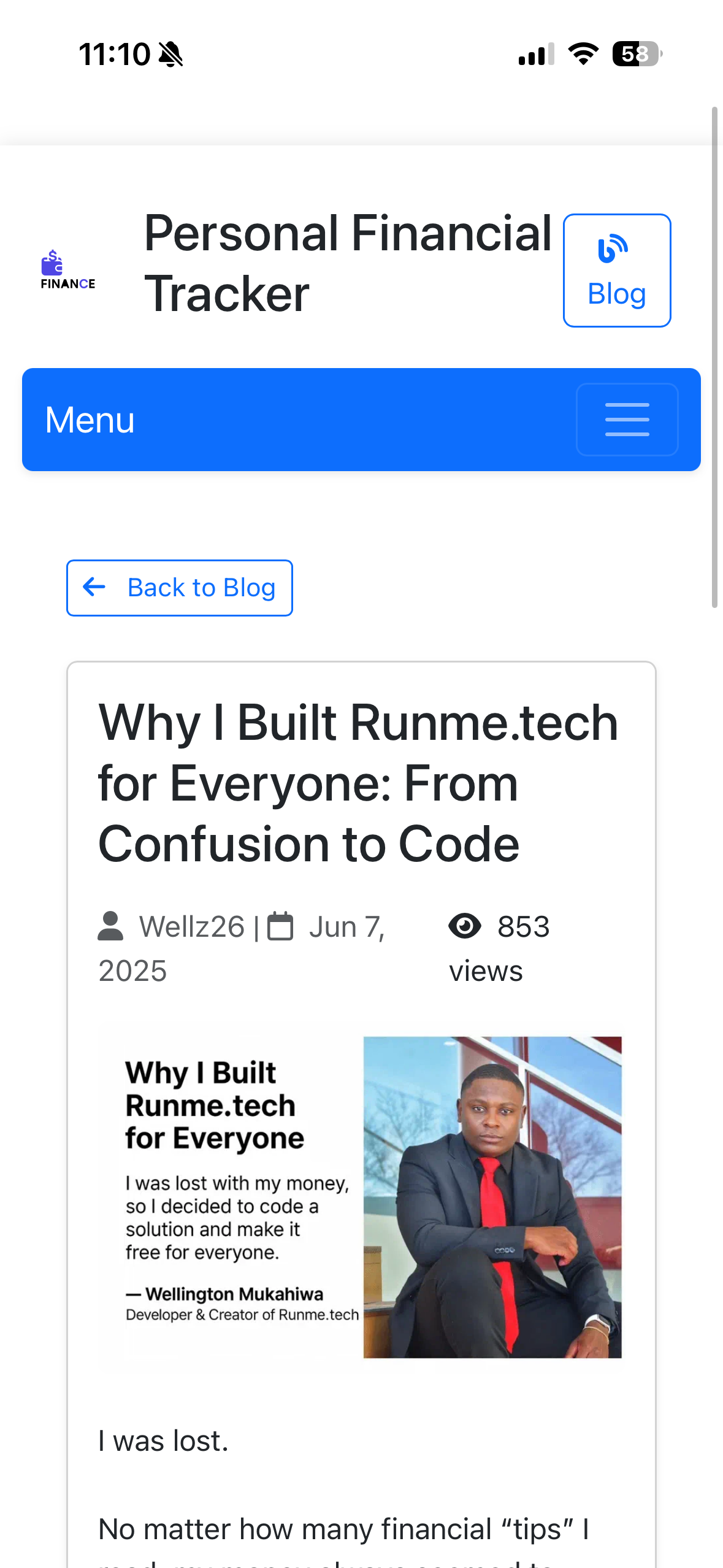
Access financial education content, updates, and tips from the RunMe team and community!
Additional Features
Debt Calculator
Plan your debt payoff strategy with snowball or avalanche methods
Recurring Transactions
Automate bill payments and regular income entries
Data Export
Download all your financial data for backup or analysis
Dark Mode
Easy on the eyes for night-time financial planning
Offline Usage
Access cached data even without internet connection
Mobile Apps
iOS app available, Android coming soon!
Ready to Take Control of Your Finances?
Join thousands of users managing their money smarter with RunMe
Start Free Today